
Member, staff & guest portals
Self-service that gives volunteers their evenings back
Everyone connected to the club gets their own signed-in area, and each one shows only what that person needs. Every self-service action a member takes is one the office doesn't have to do, which is where most of the administrative saving in Sail actually comes from.
Members keep their own records current.
Address, phone, login email, emergency contacts, consents, qualifications and the boats they own, all maintained by the person who actually knows. Members correcting their own records is the only reliable way a club's data stays accurate.
Paid staff get one too, members or not.
The freelance coach and the hired safety boat driver are handled exactly like everyone else. Anyone who is both a member and staff keeps one record and switches between the two, rather than choosing which identity they are today.
Even guests who never joined get a signed-in home.
Book a course, an event or a hire without joining and you still get your bookings, your own details, and a clear invitation to become a member. A one-off visitor becomes a known contact instead of an email address in someone's inbox.
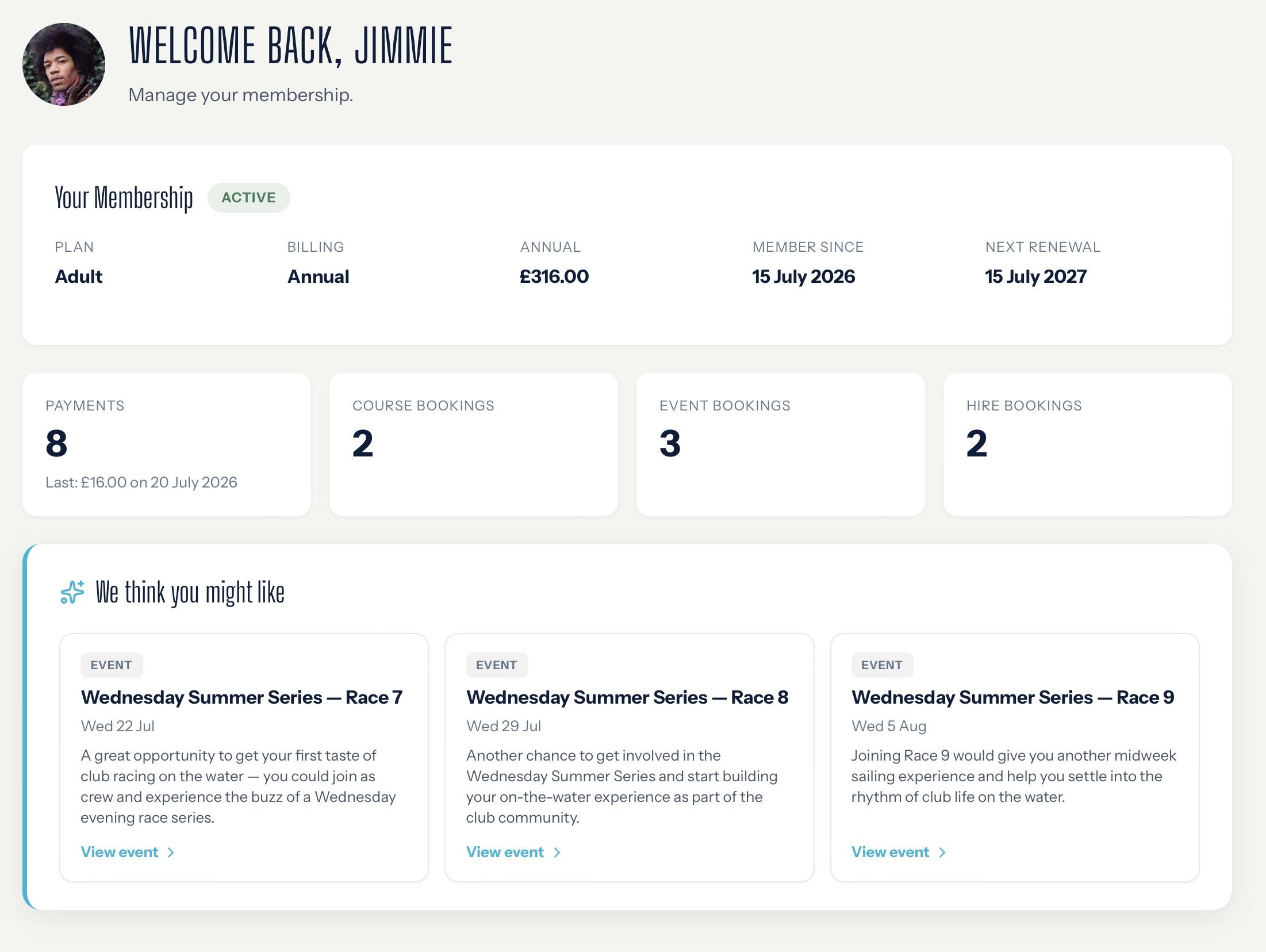
Self-service portals let members and staff:
- Manage their membership: status, category, what they pay and when it renews, with renew, resume, cancel or change category at renewal, plus payment history, receipts to download and a secure route to update a card
- Add qualifications: certificates recorded and the proof uploaded from a phone, and a verified instructor can put themselves forward for the instructor pool
- Register boats and claim a space: insurance details recorded, and a boat park space, mooring, berth, rack or trailer spot claimed, renewed or released
- See and cancel bookings: courses, events and hire in one list, cancellable where club policy allows, with the refund position shown before they commit
- Take, decline or swap duties: claim an open one, arrange a swap, set the availability preferences that drive allocation in the first place, and pay a buyout where the club allows it
- Keep family and safety details current: parental consents and health declarations for junior members, and a medical declaration where the member chooses which staff groups can see it
- Control their own data: consents in one place, a download of everything held, and a route to request erasure, so a subject access request never has to be assembled by hand
- Pick up shifts and submit timesheets: availability, leave, clocking in and out, qualifications and documents for anyone on the payroll, with a short onboarding checklist so a new starter arrives set up rather than chased for paperwork
Who the portals help the most
Members and staff themselves
No more emailing the committee and waiting for someone to get back to you.
Membership Secretary
No more chasing members for details and retyping their changes into the database.
Treasurer
No more fielding requests for receipts, card updates and “what have I paid?”.
Duty officer
No more brokering every swap and availability change by phone.
Boat park officer
No more boat and insurance details that are out of date the day after you collect them.
Welfare Officer
No more chasing parental consents and health declarations on paper forms.
The portals are included in
- Essentialsincluded
- Clubincluded
- Club Proincluded
- Club adds shift, timesheet and leave management for paid staff.
- Club Pro adds the SailAI member assistant.
The SailAI difference
On Club Pro, members get an assistant inside their portal that answers questions in plain language about their own membership, payments, bookings and duties, and points them at the right page to do it themselves. It knows what the portal can actually do, because the assistant and the portal navigation are generated from the same list in the code and cannot drift apart, so it never sends a member looking for a button that doesn't exist. When something genuinely needs a human, it routes them to the right officer rather than a general enquiry address.
Discover SailAI →